Hyper Realistic Ragdoll Beginner Guide for Roblox
New to Hyper Realistic Ragdoll on Roblox? This beginner guide covers first-session basics, controls, dummy physics and safe ways to experiment in the sandbox.
Hyper Realistic Ragdoll is a physics sandbox on Roblox where the fun comes from experimenting, not from winning. You drop into a map, grab dummies, throw objects, watch bodies stumble, faint and crawl, and see how far the ragdoll physics can be pushed. This beginner guide walks you through your first session so you can enjoy the game without guessing what anything does.
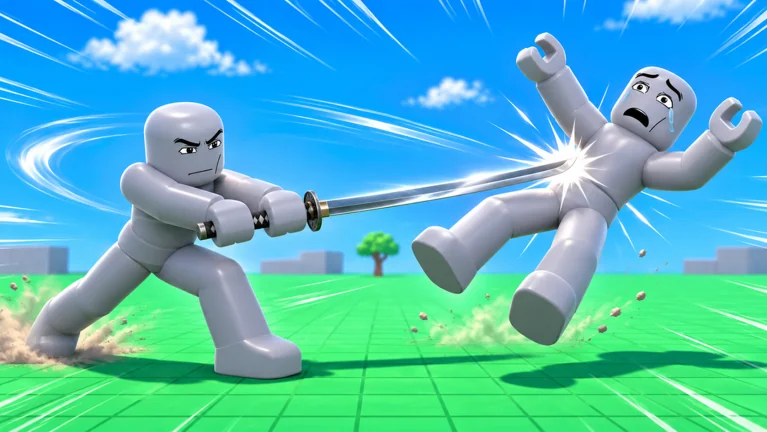
What Kind of Game Is It?
Hyper Realistic Ragdoll is a Simulation / Physics Sim experience developed by the Roblox group "and Experience Physics", known for lykiapple. It launched in November 2026 and focuses on realistic ragdoll behaviour rather than goals or scoreboards. The official description promises dummies that stumble, faint, crawl and react to impacts, which is the core loop of the whole game. There is no currency to grind and no round to win, so treat it as a digital stress toy.
Your First Session, Step by Step
Start by joining the game from the official Roblox page and give the physics a second to settle after spawning. Walk around your spawn area first and grab a dummy with the interact key to feel how the body reacts when lifted, dragged and dropped. Next, pick up a small object and throw it at a wall or dummy to see impact reactions such as stumbling or collapsing. Once you are comfortable, move between maps, because each environment changes how objects and dummies behave.
Controls You Should Try First
Community-reported controls say grabbing a dummy uses a mouse click, opening the Body Scan uses V, reviving a dummy uses R, and returning to your spawn uses G — treat these as community reports pending confirmation, because the game has no in-game control list we can verify. Even if a binding differs, the pattern is simple: one key interacts with dummies, one inspects their body, one resets them and one teleports you home. Try each action slowly on one dummy instead of dragging half the map at once. If a key does nothing, check the Roblox control settings or look for an on-screen prompt.
Understanding Broken Bones and Impacts
The official game description confirms that strong impacts can break bones, and the community Body Scan feature is the way players inspect the damage. Hard throws, vehicle hits and falls from height are the most reliable ways to trigger injuries in a sandbox like this. When a dummy is hurt, it may stumble, faint or crawl instead of standing normally, which is exactly the behaviour the developer advertises. If a body looks wrong, scan it, then revive it with the revive key once you are done experimenting.
Weapons, Objects and Experiments
Beginners do not need to unlock anything to have fun, because the sandbox gives you objects to grab and throw from the start. Community reports list starting tools such as a Fire Axe, Fists, a Pistol and Grenades, plus later unlocks like a Bat, Katana, Sledgehammer, Flamethrower, Void Gun and Sniper — all pending confirmation. The safest learning path is to test one tool at a time against a wall, then against a dummy, so you can compare the results. Our weapons guide collects everything known about tools and unlocks in one place.
Maps and Sandbox Safety
The developer advertises multiple map environments, and community reports mention maps such as a city and other sandbox scenes, though an official map list is not published. Different maps change gravity feels, object placement and how dramatic a crash looks, so exploring is part of the fun. Save your wildest experiments for areas with open space so flying objects do not trap you under piles of debris. Our maps overview explains what is known about each environment and what still needs confirmation.
Common Beginner Mistakes
The biggest mistake is expecting a goal — there is no win screen, so players who chase objectives get bored quickly. The second mistake is ignoring the Body Scan, because half of the fun is discovering that a crash broke a specific bone. The third mistake is spamming events or heavy tools on every dummy at once, which can tank your frame rate on weaker devices. Slow, deliberate experiments produce the funniest and clearest results.
Platforms and VR
Hyper Realistic Ragdoll officially supports desktop, console, mobile, tablet and VR, which is rare for a physics sandbox this small. On mobile, expect simplified controls and lower physics fidelity compared to a PC. On VR, the game shines because you can physically lean in and watch ragdoll reactions up close. If your device struggles, reduce graphics quality in Roblox settings before giving up on the game.
Is the Game Safe to Play Now?
The game briefly went offline around mid-November 2026 in a moderation event that the community widely reported, and it appears to have returned, but the restoration is pending confirmation. Our game status page tracks what is verified from Roblox data versus what comes from community reports. If the game is ever offline again, that page is the fastest place to check before reinstalling anything.
Where to Go Next
Once your first session feels comfortable, read the controls guide to master the Body Scan and revive flow, then explore events and vehicles for the biggest crashes the sandbox can produce. There are currently no official badges or codes to chase, so the whole game is about your own experiments. Keep this beginner guide handy and you will get the most out of every dummy you drop.