How to Revive Dummies in Hyper Realistic Ragdoll
Learn how to revive collapsed dummies in Hyper Realistic Ragdoll with the reported R key, plus what to try when the revive fails and who recovers best.
Reviving dummies in Hyper Realistic Ragdoll resets a broken or fainted body so you can run the next experiment on a fresh target. According to community reports, you revive a nearby dummy with the R key, though the binding is pending confirmation because the developer has not published official controls. This guide covers the full revive workflow, why some dummies refuse to stand and how reviving fits into the break-scan-revive loop that makes the game fun.
Why Reviving Matters
The whole game is built around reusable dummies: you break them, scan the damage, then bring them back for another round. Without reviving, every map would quickly run out of standing dummies and your experiments would stop. Reviving also keeps maps tidy for other players, since a revived dummy stops lying in a pile of debris. In short, the revive key is the reset button of the entire sandbox.
The Revive Workflow Step by Step
Walk up to the dummy you want to restore and aim at its body. Press the revive key — community-reported as R — while standing close to the target. Watch the dummy return to a standing state, then continue with your next experiment immediately. If nothing happens, step closer, aim directly at the torso and try again, because interaction ranges are short in most Roblox physics games.
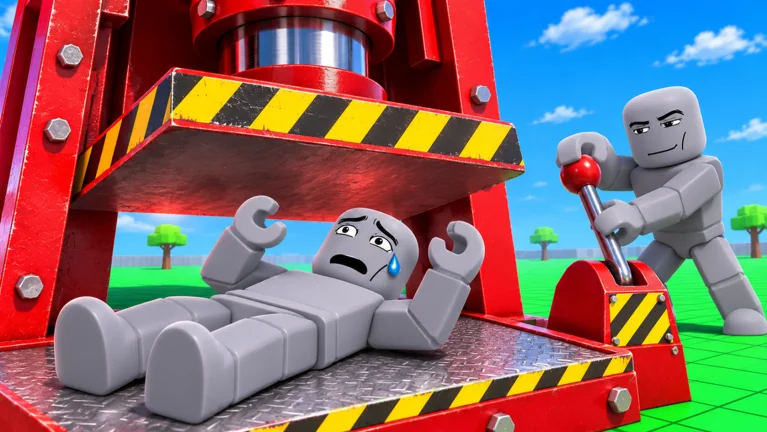
The Medkit Question
New players often ask whether the game has a medkit item, because community discussions mention medkits and defibrillators as possible revive tools. Current evidence suggests reviving is a direct key interaction rather than an item you carry, but the exact mechanic is pending confirmation. If a future update adds a medkit or defibrillator tool, this guide will be updated with verified details. Until then, treat the reported R key as the primary revive method.
When Reviving Does Not Work
A dummy that will not revive is usually out of range, partially buried under debris, or still being held by your grab. Release your grab first, then clear any objects stacked on the body before pressing the revive key again. If the dummy is wedged inside geometry after a vehicle crash, push it free by walking against it or drag it with your grab action. In extreme cases, teleport back to spawn with the reported G key and let the area unload before returning.
Reviving After Broken Bones
The official description confirms broken bones happen on strong impacts, and a revived dummy resets that damage. That means the scan-revive loop lets you compare experiments cleanly: break a dummy, scan the fractures, revive, then change one variable and break it again. Changing one variable at a time — fall height, vehicle speed, tool weight — is what makes your results actually meaningful. Our Body Scan guide explains how to read the fractures you just created.
Reviving on Mobile and VR
The game officially supports desktop, console, mobile, tablet and VR, and revive works on every platform. On mobile, the revive action maps to an on-screen button or tap interaction, pending confirmation of the exact layout. In VR, you typically point your controller at the dummy and press the trigger-equivalent of the revive action. If a platform hides the button, check the in-game prompts, because bindings can change with updates.
The Full Experiment Loop
A good session follows a rhythm: grab a dummy with the reported click interaction, cause an impact, scan the body with the reported V key, note the injuries, then revive with the reported R key. Repeat with a different variable each round and you will quickly learn which crashes in Hyper Realistic Ragdoll do the most damage. This loop is also the most shareable part of the game, because each scan result is a mini story. Two or three clean experiments are usually funnier than one map full of random chaos.
Common Revive Mistakes
Do not revive before scanning, or you will lose the injury data you just created. Do not spam the revive key across a whole pile at once, because half of the presses will miss their target. Do not forget that all bindings on this page are community reports pending confirmation, so in-game prompts always take priority. And do not leave fainted dummies scattered — revived maps are more fun for everyone who visits after you.
Etiquette in Public Servers
Public servers are shared sandboxes, so revive what you break when you are done experimenting. This keeps dummy populations healthy and stops new players from spawning into a graveyard. If you are running big vehicle or event experiments, warn nearby players first, since flying bodies can ruin someone else's setup. Small habits like these make the community side of the game much better.
Where to Go Next
Combine this guide with the Body Scan guide to read the injuries you reset, and with the controls guide for every known binding. Beginners should start with the beginner guide for first-session basics. When your revive loop feels smooth, try vehicles and events for the biggest impacts the sandbox can produce.